LiveLink Output
Reality Field can output to Unreal Engine via the LiveLink protocol. LONET 2 uses the default multicast ip and port 236.12.12.12:60608.
Unreal Setup
To conform your output to the correct axis for Unreal, you can load the included UnrealEngine.xml preset.
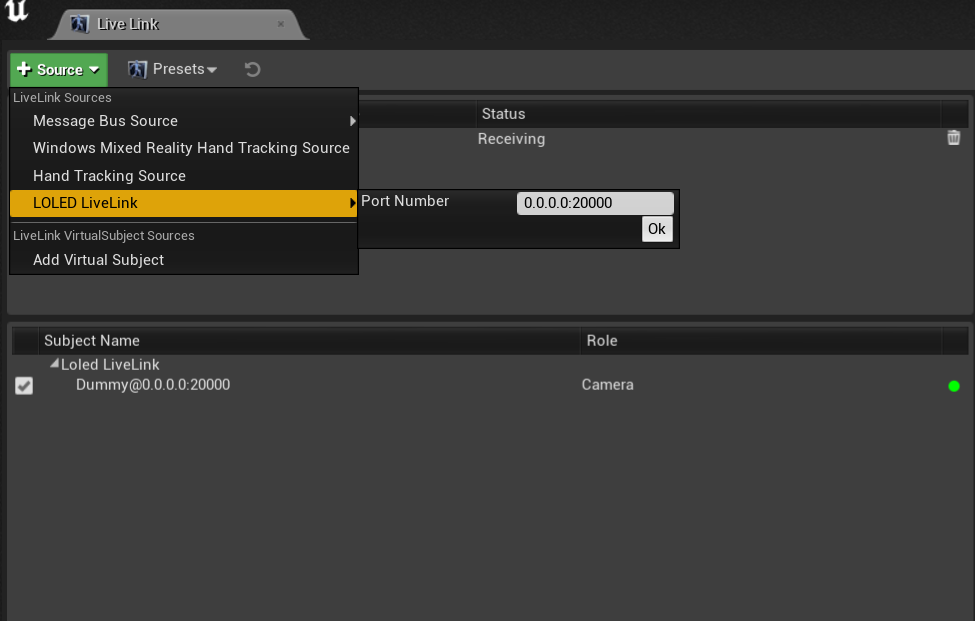
To receive the data, you must have our LONETClient folder in a "Plugins" folder next to your .uproject. You can access the plugin from your Gumroad files. In your Unreal LiveLink settings, add a LOLED LONET 2 source.
Next, navigate to the LONET Client Content/Reality Field folder in Unreal. Here you will see example blueprints for cameras and trackers.
.png "2021-09-17%20%281%29")
Drag an example camera blueprint into your scene.
In the inspector, set the Subject Representation to the tracker you'd like to use. Then, open the blueprint, and do the same in the Evaluate LiveLink Frame node.
.png "2021-09-17%20%283%29")
That's it! You should now be getting tracking data, as well as camera and lens data.
VR Controllers
VR Controllers, like Index Controllers or Vive Wands, are a special case. We pass not only the positional data, but also the button and joystick data through LiveLink.
Drag the Controller Example from the plugin folder into your scene, and set the subject representation the same following the same steps as the tracker.
The blueprint contains an example of how to use the controller data to move a spotlight, but of course you can do whatever you want with the data.
Format
The data format is a UDP-over-JSON. You are welcome to use this to receive data from RF to your own application.
Cameras:
All values come in as float values. Shutter speed is expressed as degrees, or as the denominator of the fractional portion divided by 100. I.E. 1/60'th second will come in as 0.6. ND values are expressed in F/stops of light reduction.
Controllers:
Button values are expressed as 1 or 0, other values are floating point.